Install
Sklent is one Docker container: the web app, the API, the MCP endpoint (MCP is the protocol AI agents like Claude use to call tools) and a render worker, with SolidCraft (an open-source parametric CAD app, which opens and renders the designs), ffmpeg and Mesa inside. It needs:
- Docker with Compose, on an x86-64 Linux host (the image pins SolidCraft's
linux-x86_64build, 0.44.1, checked by SHA-256). - A GPU, for speed (optional): an Intel or AMD GPU visible as
/dev/dri, used through Mesa Vulkan. Without one, SolidCraft renders in software: the same pictures, slower. - Memory to match your designs: each SolidCraft process loads the whole design (a 2,000-body assembly takes about 6.7 GB). Small parts are fine on a few GB.
1. Get it and write .env
git clone https://github.com/jdoscher/sklent.git
cd sklent
cp .env.example .env
openssl rand -hex 24          # paste this as SK_TOKEN
The settings that matter on day one:
| variable | default | |
|---|---|---|
SK_TOKEN |
Required. Admin token for the UI, API and MCP (16+ characters) | |
SK_PORT |
8090 |
Host port for the UI, API and MCP |
SK_DATA |
./data |
The database and local render sets |
SK_KIST_URL, SK_KIST_TOKEN |
Optional: a Kist (a self-hosted library for the images and files you collect) to file sets into, see Working with Kist; leave the URL empty to keep renders local | |
SK_GITHUB_TOKEN |
Private repos, and a higher API limit (GitHub allows 60 anonymous API calls an hour) | |
SK_FORGEJO_URL, SK_FORGEJO_TOKEN |
Your Forgejo (a self-hosted Git forge); its token is only ever sent to that host | |
SK_RENDERER |
gpu |
gpu, software (Mesa lavapipe on the CPU) or off (helpers only) |
SK_RENDER_GID |
992 |
The group that owns /dev/dri/renderD128 (getent group render) |
TZ |
UTC |
The time zone of quiet hours |
Every variable, including the scan interval and the process cap, is in the README's
Configuration table. Render and feature
settings live in the app, not in .env: see Outputs and settings.
2. GPU or software
docker-compose.yml passes /dev/dri in and adds the render group. Check the group id:
getent group render # render:x:992: -> SK_RENDER_GID=992
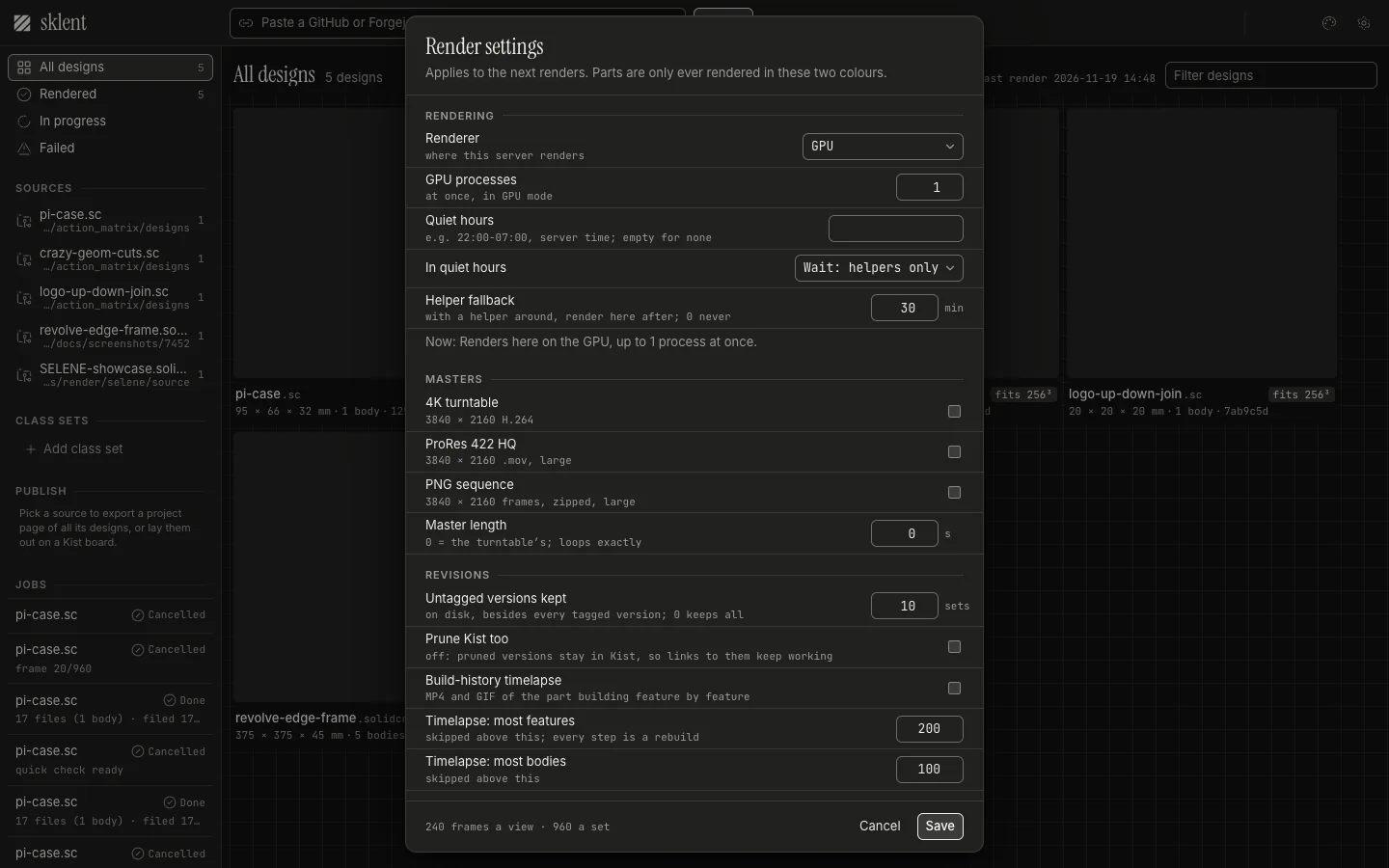
At most render_gpu_processes SolidCraft processes (default 1) use the GPU at once, so a
GPU shared with other work stays usable. Raise it in Settings → Rendering if the GPU
is Sklent's alone.
Delete the devices: and group_add: keys from docker-compose.yml and set
SK_RENDERER=software in .env. SolidCraft then runs on Mesa's lavapipe and never opens
a GPU. Big designs can fan their frames out to SK_RENDER_PROCESSES processes (default 4),
capped by free memory.
You can switch at any time in Settings → Rendering, which overrides SK_RENDERER, or hand
the rendering to another machine: Render helpers.
3. Start it
docker compose up -d --build
docker compose logs -f app       # wait for the server to start
The image build downloads SolidCraft and Ubuntu's Mesa and ffmpeg, so the first build takes a
few minutes. The container's health check is GET /api/health.
4. First run
- Open
http://<host>:8090and pasteSK_TOKENinto the token gate. The browser keeps it. - Paste a URL into the top bar and press Render. Try a public repo first, for example
https://github.com/tangency-labs/solidcraft/blob/main/tests/action_matrix/designs/pi-case.sc. - The tile shows a quick check still within seconds of the design loading, then the full set as it finishes. Hover a tile to play its turntable; click it for the drawing sheet.
What a URL can point at (an account, a folder, a branch, a pull request, a class set) is in Inputs and access.
Rendering without the app
A design that is only on disk renders with the CLI, with no database and no Kist:
docker compose run --rm app sklent render /data/some.sc /data/out --palette white
docker compose run --rm app sklent render /data/robot.step /data/out \
  --settings '{"styles": ["shaded"], "specs_assembly": true}'
docker compose run --rm app sklent render /data/arm.sc /data/out --outputs 1080p,gif --highlight 'Arm*'
sklent render applies the .sklent.yaml files above the design (up to the git root;
--config PATH names one, --config none skips them), then --palette / --seconds, then
--settings, --outputs ('' = quick check only) and --highlight. Add
--renderer software to keep it off the GPU.
Upgrading
Pull the new version and rebuild: git pull && docker compose up -d --build. The database
gains new columns and tables on start; back up data/sklent.db first. Each release's notes in
the changelog say what changes.